Jun 24, 2025
From Idea to App with Google Stitch
AI tools have become essential for getting early concepts out quickly. To show how this works in practice, here is a walkthrough of using Google Stitch to design a new app idea: a companion tool for first person shooter players that lists the best guns and attachments for multiplayer and battle royale modes. Think of it as the ultimate meta guide for games like Call of Duty or Battlefield.
The concept
Players want to know the top weapons, attachments and builds for different modes, without hunting through forums or watching long videos. The app would let them pick a game, select multiplayer or battle royale, then see a tiered list of guns with the best attachments for each.
Starting with Google Stitch
Instead of opening Figma and facing a blank canvas, I wrote a prompt directly in Google Stitch. It was something like:
“Create a mobile app design that shows the best guns and attachments for Call of Duty and Battlefield. Include screens for selecting a game, choosing multiplayer or battle royale, viewing gun lists sorted by meta strength, and a detailed gun page with attachments.”
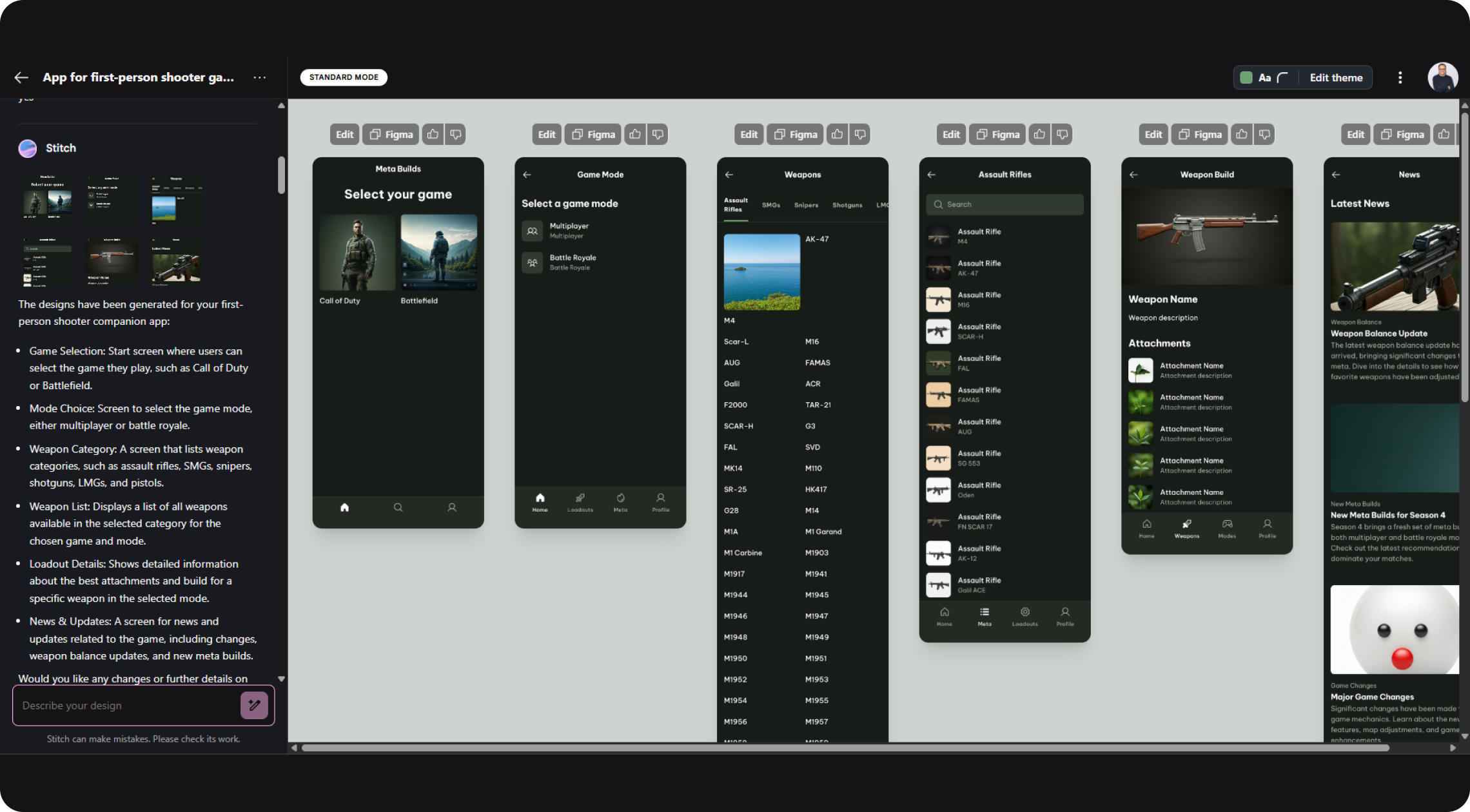
In under a minute, Google Stitch produced a series of artboards that included a clean home screen with game logos, toggle buttons for modes, gun lists with small tier badges and a detail page for each weapon.
Importing into Figma
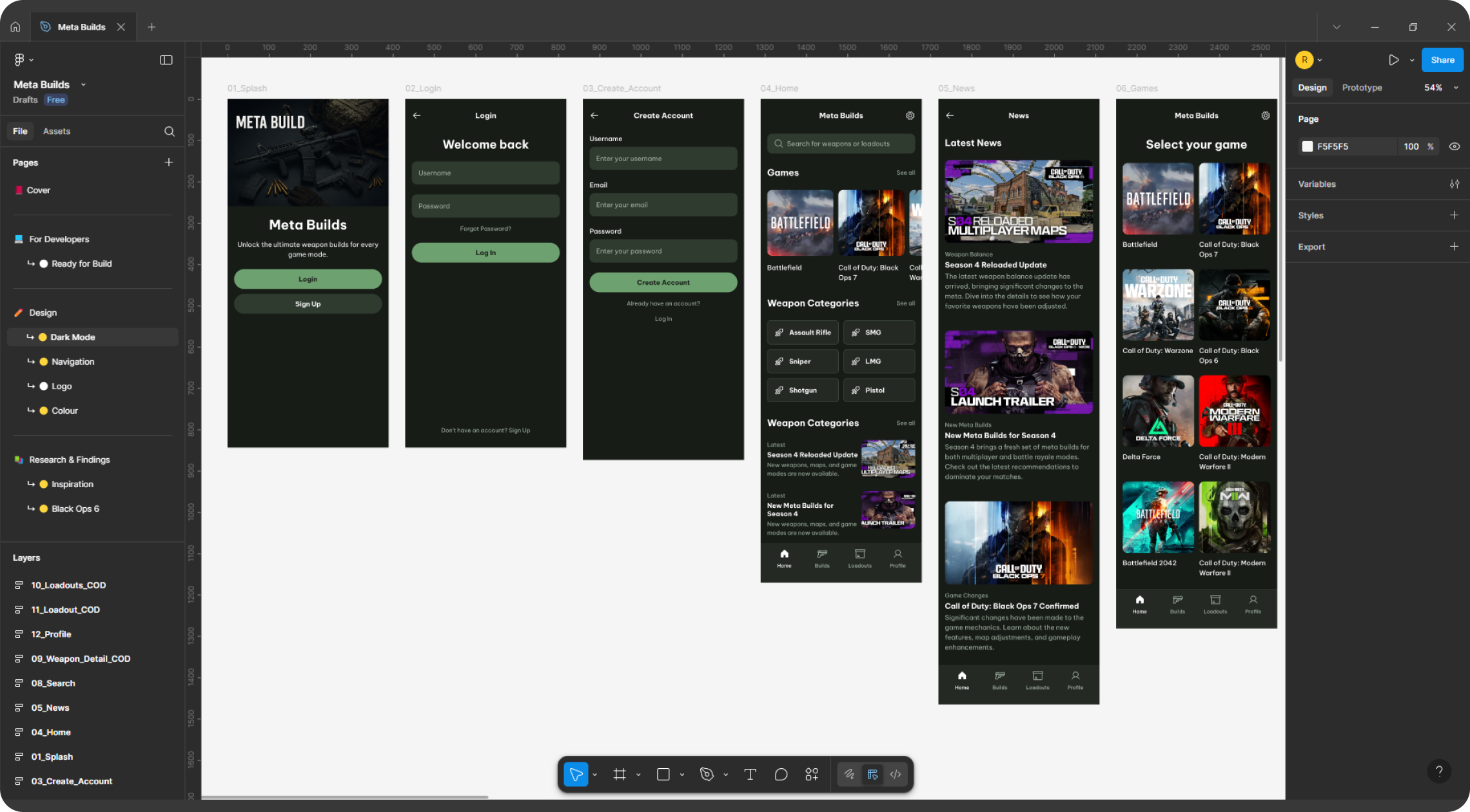
I exported the artboards and opened them in Figma. From there, I adjusted the colours to give a darker, grittier feel that suits shooters and swapped in more tactical fonts.
It was also simple to add touches like medal icons for “meta” ratings and quick recoil or damage stats that serious players look for.
Using Lovable for quick styles
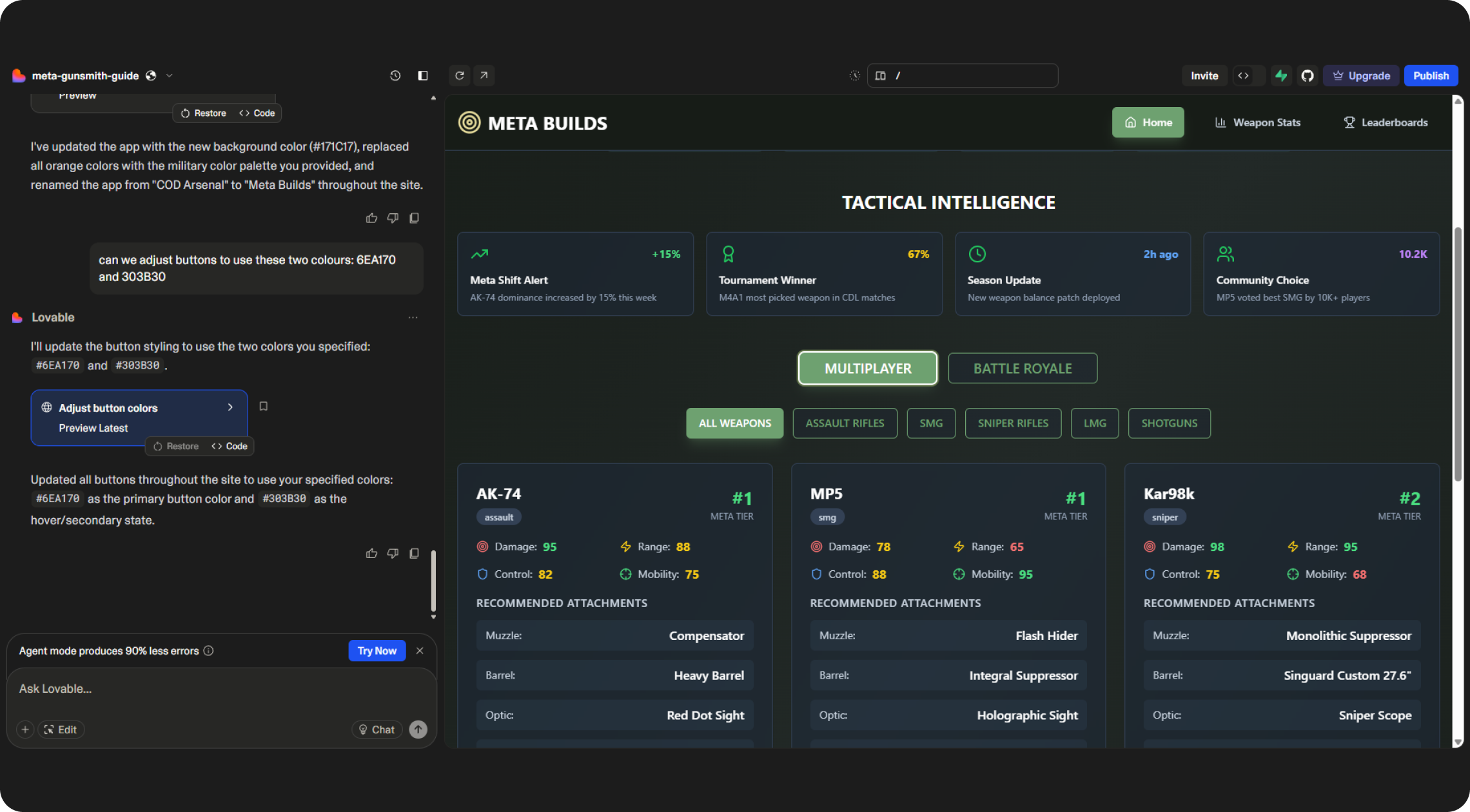
To keep the design consistent, I ran a short session in Lovable. I fed it my primary colours, typography choices and keywords like “military” and “competitive.” Lovable returned a neat set of tokens for colour, spacing and type, which slotted straight into Figma and saved hours of manual tweaking.
What the AI could not do
Google Stitch gave me a strong start, but it did not know what players actually care about. It missed filters for close range or long range setups, and did not prioritise showing weapon stats clearly. Those still needed design thinking, user knowledge and careful tweaks.
This is why AI is best seen as a partner. It sped up the first stages so I could focus on real user needs.
Wrapping up
By lunch time, I had a clickable prototype that looked good enough to show friends and get feedback. What once might have taken days was ready in a morning.
Using Google Stitch and Lovable together cut out the repetitive parts, letting me spend more time on what players would actually value. If you have not tried building ideas with AI yet, this kind of project is the perfect way to start. It is quick, surprisingly fun and keeps you focused on solving real problems.